
Have you been looking for a free custom domain link shortener?
Well, I created a URL shortener that you can sign up use with your own custom domain completely for free!
DSLinker is no longer available, so you cannot create a new account. The /dslinker/ link now redirects to my link tracker comparison.
Quick answer (last checked: November 17, 2026)
Rebrandly’s free plan includes 1 custom domain (10 links per month), while Bitly’s free plan allows 5 links per month and has no branded links. T2M’s Basic plan is free for life after a one-time $5 account verification fee. I checked each vendor’s own pricing page on November 17, 2026.
Tools that changed: ClickMeter has shut down (clickmeter.com now redirects to Rebrandly). Loftware acquired BL.INK on April 10, 2025 (loftware.com press release). The public bl.ink site and pricing page now redirect to Loftware Connected Packaging, and there is no public self-serve signup or pricing. Existing customers can still use the product through Loftware, but I no longer treat BL.INK as a current option for a free branded shortener. Current options on this page include Rebrandly’s free plan (10 links per month and 1 custom domain) and T2M’s Basic plan (free for life after a one-time $5 verification fee).
What Is A Free Custom Domain Link Shortener?
A link shortener is a software that you can use to take a long URL and shorten it to make it more appealing to the visitors on your website or viewers of you social media post.
A link that has been shortened can be used anywhere online across all platforms.
DSLinker, which I used to offer for this, is no longer available. The /dslinker/ link now redirects to my link tracker comparison. Current free-domain options include Rebrandly’s free plan (10 links per month and 1 custom domain) and T2M’s Basic plan (free for life after a one-time $5 verification fee).
How Do You Shorten A Link?
You can shorten a link by using a link shortener or URL shortener, as I had just discussed.
All you have to do is simply copy and paste any long URL that you want to be shortened into the tool and it will give you a shortened version of the link. 🙂
Frequently Asked Questions About Free Custom Domain Link Shorteners
How do I shorten a link for free?
You can shorten a link for free by using a free link shortener tool. DSLinker is no longer available. Current options on this page include Rebrandly’s free plan (10 links per month and 1 custom domain) and T2M’s Basic plan (free for life after a one-time $5 verification fee). The /dslinker/ link now redirects to my comparison.
Which free tools can you use to create short versions of long links?
DSLinker is no longer available. My current recommendations for a free custom domain are Rebrandly’s free plan and T2M’s Basic plan, both described at the top of this page. The /dslinker/ link now redirects to my comparison.
However, here’s a list of the free tools you can use to create short versions of long links:
- DSLinker (no longer available; this URL now goes to my link tracker comparison)
- Bitly
- Rebrandly
- ClickMeter (discontinued: clickmeter.com now redirects to Rebrandly)
- Ow.ly
- T2M
- TinyURL
- BL.INK (its site now redirects to a Loftware connected packaging page)
How do you customize a link?
You can customize a link by following this step-by-step:
- Purchase a domain and point it to DSLinker using the IP address or creating a CNAME record in your DNS records for the custom domain
- Connect the domain inside DSLinker
- Create a new shortened link and select your custom domain
Is using Bitly free?
Bitly can be used for a free account. Unfortunately, Bitly does not allow for custom domains to be used on the free plan. DSLinker is no longer available; use Rebrandly’s free plan or T2M’s Basic plan instead. The /dslinker/ link now redirects to my comparison.
How do I create a custom URL shortener?
You can create a custom URL shortener by following these steps:
- Purchase a domain and point it to DSLinker using the IP address or creating a CNAME record in your DNS records for the custom domain
- Connect the domain inside DSLinker
- Create a new shortened link and select your custom domain
How does a link shortener work?
A link shortener works by taking a long URL and shortening that URL into a specified domain with a URL slug.
Why would you want to shorten a URL?
You would want to shorten a URL so that you don’t have to use a super long link for social media and other places on your website. You’ll even have the opportunity to gain trust with your audience since they’ll have a better idea of where they’ll be going upon clicking the shortened link.
What is the best URL shortener?
The best URL shortener is DSLinker. 😀👍
More Free Link Shortener Questions (Updated November 2026)
Which free link shorteners let you use your own domain?
Rebrandly’s free plan includes 1 custom domain and 10 links per month. Bitly’s Free plan allows 5 links per month and does not include branded links, which start on the Growth plan at $35 per month ($29 billed annually). T2M’s Basic plan is free for life after a one-time $5 account verification fee.
Is ClickMeter still available?
No. clickmeter.com now redirects to rebrandly.com, and independent reports say ClickMeter shut down at the end of March 2026.
Does Bitly let you use a custom domain for free?
No. Bitly’s Free plan does not include branded links. They start on the Growth plan at $35 per month ($29 billed annually).
Free Link Shortener | DSLinker Final Thoughts
Update (November 2026): DSLinker is no longer available. I no longer offer the product. The /dslinker/ link on this site now redirects to my link tracker comparison. Current options there include ClickMagick (paid, starting at $79 per month) and Rebrandly (free plan: 10 links per month and 1 custom domain).
The best free link shortener out there that you can get your hands on is DSLinker.
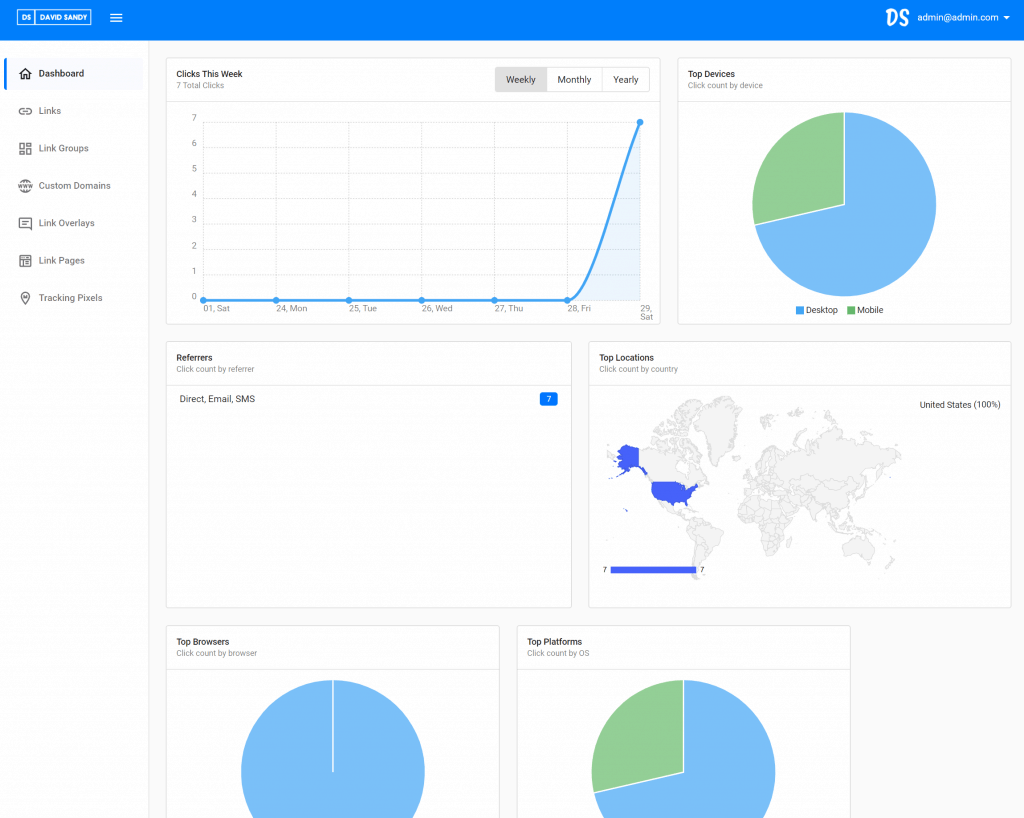
You can create your own custom domains, link groups, tracking pixels, and even track your affiliate links using dynamic sub ids.
Now I want to hear from you. Have you signed up for DSLinker and gotten access to my free custom domain link shortener? 😀👍
Suggested Posts For You…
- Best Link Tracker Software (DSLinker is no longer available; this URL now goes to my comparison)
- How To Start A Blog: Complete Step-By-Step Guide
- Elementor Review: Best WordPress Page Builder
- Best Web Hosting For Beginners
- Affiliate Earnings & Break-Even Planner
- UTM Builder & GA4 Channel Checker
Affiliate Disclaimer
I hope you enjoyed this post. This post may contain affiliate links, meaning I get a commission if you decide to purchase through my links at no additional cost to you.

